Designing a Professional Fitness Brochure: A Comprehensive Guide to Creating an Effective Two-Fold Print Ready Adobe Illustrator File
In the world of marketing and brand communication, a well-designed brochure can serve as a powerful tool to convey information, attract attention, and drive engagement. When it comes to fitness-related businesses, a fitness brochure is not just an informational piece—it's a visual representation of a brand’s values, services, and commitment to health and wellness. This guide explores how to create a professional fitness brochure using a two-fold double-sided Adobe Illustrator file, ensuring it meets high standards for print quality, design, and functionality.
Understanding the Fitness Brochure Format
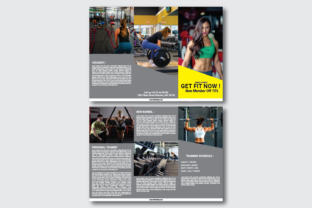
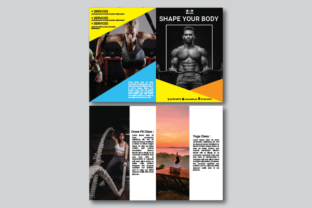
A fitness brochure is typically designed to be informative yet visually appealing, making it ideal for use in gyms, wellness centers, or fitness studios. The two-fold double-sided format allows for a compact yet comprehensive layout that can be easily distributed or displayed. This format is especially popular due to its portability and ability to showcase key information on both sides without overwhelming the reader.
The dimensions of a standard fitness brochure are usually set at 21cm x 29.7cm, which corresponds to the A4 size. However, when preparing the file for print, it’s essential to include a bleed area of 0.25cm on all sides. This ensures that the printed edges do not have any white borders or incomplete graphics. Additionally, the file should be created in CMYK color mode to ensure accurate color reproduction during the printing process.
Choosing the Right Design Tools: Adobe Illustrator
Adobe Illustrator is a vector-based design software that offers precision, scalability, and versatility—making it an excellent choice for creating a fitness brochure. Unlike raster-based programs like Photoshop, Illustrator allows designers to create scalable graphics that maintain clarity at any size. This is particularly important when designing for print, where resolution and clarity are critical.
When working with a two-fold double-sided fitness brochure, it's important to plan the layout carefully. Each side of the brochure should have a clear purpose—whether it's introducing the brand, outlining services, or providing contact information. Using layers and groups in Illustrator helps keep the design organized and easy to edit.
Font Selection and Typography
Typography plays a crucial role in the overall aesthetics and readability of a fitness brochure. While many fonts can be used, the Roboto Free font is a popular choice due to its clean, modern look and excellent legibility. Roboto is a sans-serif font that works well in both digital and print formats, making it a versatile option for a fitness brochure.
It's important to maintain consistency in typography throughout the design. Using a hierarchy of fonts can help guide the reader through the content, with larger, bolder text for headings and smaller, lighter text for body copy. Avoiding excessive use of different fonts ensures a cohesive and professional appearance.
Design Elements and Visual Layout
A well-designed fitness brochure should balance text and visuals to create an engaging and informative experience. Since images are not included in the design, the focus shifts to typography, color, and layout. The use of negative space (white space) can enhance readability and make the design feel more open and inviting.
Color is another essential element in the design of a fitness brochure. Choosing a color scheme that reflects the brand’s identity and the energy of the fitness industry is key. Bright, vibrant colors like red, blue, and green are commonly used to evoke feelings of vitality and motivation. However, it's important to ensure that the chosen colors are also accessible and readable against the background.
Preparing the File for Print: Key Considerations
Before sending the fitness brochure to print, it's essential to ensure that the file is optimized for print. This includes setting the resolution to 300 DPI, which provides high-quality output and prevents pixelation. The file should also be saved in a format compatible with print production, such as PDF or EPS.
Including a bleed area of 0.25cm around the edges of the design is crucial for ensuring that the printed edges do not have any unwanted white space. This is especially important when the design includes graphics or text that extend to the edge of the page. Additionally, all text should be placed within the safe area to avoid being cut off during the printing process.
Use Cases and Practical Applications
A fitness brochure can be used in various ways depending on the target audience and business goals. For example, a gym may use a fitness brochure to introduce new members to their facilities, services, and classes. A personal trainer might use it to promote their services and build credibility. Similarly, a wellness center could use a fitness brochure to educate clients about the benefits of different exercise routines and healthy lifestyles.
The two-fold double-sided format makes it easy to distribute the fitness brochure in physical locations such as fitness centers, retail stores, or even at events. It can also be printed in bulk for mailers or handed out directly to potential customers. The compact size and professional appearance of the fitness brochure make it an effective marketing tool for both small and large-scale businesses.
Conclusion: Crafting a Professional Fitness Brochure
Creating a fitness brochure requires careful planning, attention to detail, and a strong understanding of design principles. By using a two-fold double-sided Adobe Illustrator file, you can produce a high-quality, professional-looking document that effectively communicates your message and enhances your brand image. Whether you're a fitness professional, a business owner, or a designer, the process of crafting a fitness brochure offers valuable insights into the intersection of design, marketing, and communication.